Create deposit options
Set a percentage or fixed deposit, write the customer agreement, and choose the products that should offer pre-order checkout.
Shopify deposit and partial payment app
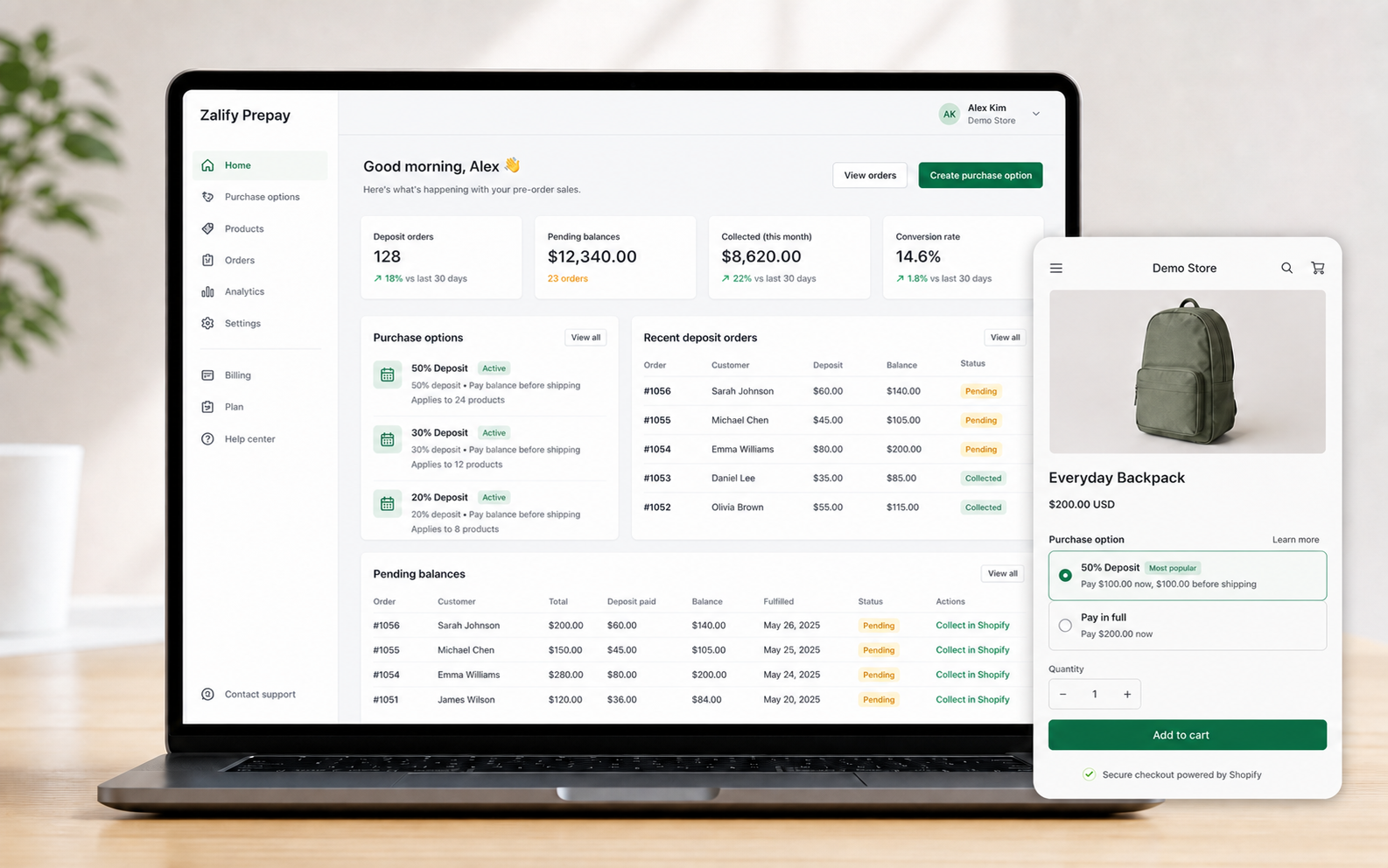
Zalify Prepay helps Shopify merchants offer pre-order deposits and partial payments on product pages, then automatically submit the remaining balance charge after fulfillment.
How it works
Keep the app focused on creating purchase options, collecting deposits at checkout, and charging remaining balances after fulfillment.
Set a percentage or fixed deposit, write the customer agreement, and choose the products that should offer pre-order checkout.
Install the theme app block so customers can choose a deposit option or pay in full before adding the item to cart.
When the order is fulfilled, Zalify uses Shopify's payment mandate flow to submit the remaining balance charge automatically.
Payment flow
Zalify creates Shopify purchase options, tracks deposit orders, and submits the remaining balance charge after fulfillment using stored payment mandates.
Operational view
Track deposit orders and remaining balances after checkout.
Use submitted and failed statuses to review automatic charge attempts.
Mark balances complete through Shopify payment status updates.
Keep customer-facing agreement text visible before checkout.
Help center
Create your first deposit purchase option and attach it to products.
Add the purchase option selector to your product template.
Collect remaining balances automatically after fulfillment.
Understand app billing, usage volume, and subscription status.
FAQ
Yes. When an eligible deposit order is fulfilled, Zalify submits the remaining balance charge through Shopify's payment mandate flow and updates the balance when Shopify reports the order as paid.
A theme app block shows available purchase options, such as a deposit option and a pay-in-full option, on selected product pages.
It keeps the review surface focused on deferred purchase options, storefront display, fulfillment-triggered balance collection, and order tracking.